What is a Gmail AI triage agent?
An agent that sorts your inbox before you open it — what it does, where it earns its place in a business, and what separates one that works from one you switch off after a week.
The problem
Your inbox sorts by arrival time, not importance
If you run a business, your inbox is where several different jobs collide. A customer asking for a quote, a supplier chasing an invoice, a bank notification, a newsletter you forgot you signed up for — they all land in the same list, in the order they happened to arrive. Nothing about that order reflects what actually matters to you.
So you end up doing the sorting yourself, several times a day, mostly by reading subject lines and guessing. It's not difficult work. It's just constant, and it happens at exactly the moments you were trying to concentrate on something else.
Triage is the part a machine can genuinely help with — not writing your replies for you, but deciding what deserves your attention first.
What it is
An assistant that reads the inbox before you do
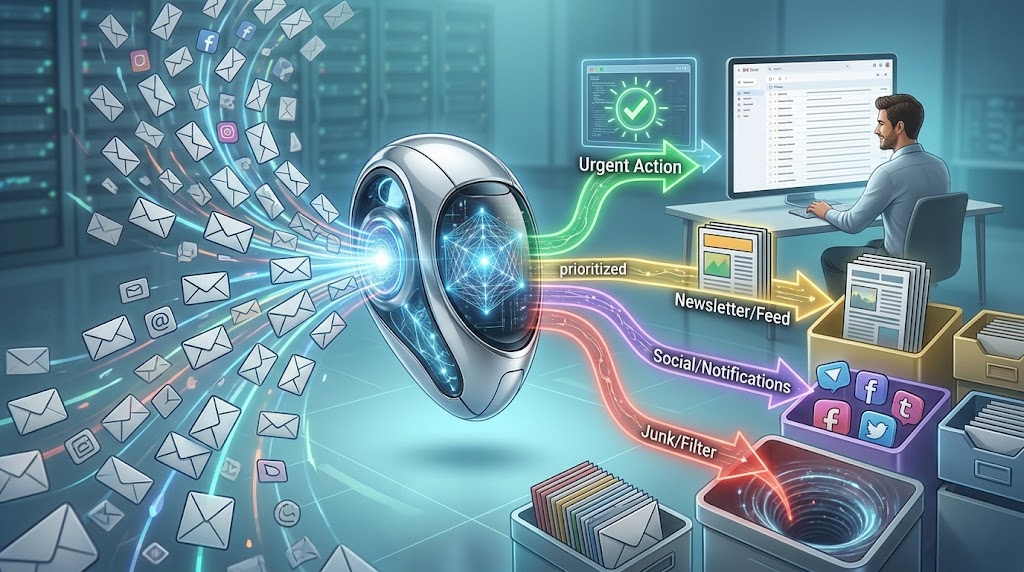
A Gmail triage agent is a program that connects to your mailbox, reads incoming mail, and makes a judgement about each message: what kind of email is this, and how urgent is it? It then acts on that judgement in small, reversible ways — usually by labelling the message and, where you allow it, preparing a draft reply you can review.
The word agent matters here. It's doing something on your behalf, on a schedule, without being asked each time — as opposed to a chatbot you have to open and prompt. But it's still working inside limits you set.
A typical one will:
- Read messages that arrived since it last ran
- Classify each one — customer enquiry, invoice, supplier, internal, newsletter, spam-adjacent
- Judge urgency, and label the message accordingly in Gmail
- Draft a reply for the routine, predictable ones and leave it sitting in your drafts
- Leave everything else exactly where it was, for you to handle
The important word is triage. It decides what deserves attention first. It does not decide what happens to your customers. Those are very different jobs, and the agents that stay useful are the ones that only do the first.
Relevance
Where it actually earns its place
This is one of the few automations whose value is obvious within a day, because the problem it addresses is one you feel constantly. A few situations where it makes a real difference:
A business where enquiries arrive by email. Quote requests get labelled and surfaced immediately rather than sitting unread behind twenty newsletters. For anyone selling something, response time is often the whole difference between winning and losing the job.
A shared or team inbox. When several people share info@, the common failure is everyone assuming someone else replied. Consistent labelling makes ownership visible.
Anyone who returns to a large backlog. After travel or time off, the agent's labels give you an ordered way in, instead of scrolling from the top and hoping.
What it doesn't do is reduce the number of emails you receive. It changes the order you meet them in, and removes the repeated low-level decision of "does this matter?" That sounds modest. In practice it's most of the cost of email.
Best practices
What separates one that works from one you switch off
Most triage agents fail for the same handful of reasons, and none of them are technical. These are the habits that decide whether you're still using it in a month.
Start read-only, and earn trust before granting more
Run it for its first week doing nothing but labelling. You get to see every judgement it makes with no consequences. If it's wrong about what's urgent, you'll find out during the week when it costs nothing — not after it has replied to a customer.
Draft, never send
A drafted reply you approve in two seconds captures almost all the time saving. A sent reply you didn't read captures the rest and hands you a category of risk that isn't worth it. Keep a person between the agent and anyone outside your business.
Use categories that map to something you actually do
"Important" and "Not important" are useless labels, because they don't tell you what to do next. "Needs a reply today", "Quote request", "Invoice", "No action needed" are useful, because each one implies an action. Design the categories around your actual workflow, not around abstract priority.
Give it your context — this is the biggest quality lever
An agent that knows nothing about your business can only guess from the words in the email. An agent that knows what you sell, who your important clients are, and what a typical enquiry looks like will be dramatically better at the same task. Most people underinvest here and blame the model.
Audit the misses, not the hits
It's tempting to judge it by whether the labels look right. The failure that matters is the important email it filed as low priority. Once a week, look specifically at what it deprioritised. That's where you'll find the pattern worth correcting.
Never give it anything irreversible
No auto-delete, no auto-archive, no auto-send early on. Every action it takes should be one you can undo by hand in a few seconds. This single rule prevents nearly every way this goes badly.
Know what your mail is being sent to, and decide if you're comfortable
A triage agent reads your email and sends the contents to an AI model to be classified. For most business mail that's fine, but it's a real decision, not a technicality — especially if your inbox carries client confidential material, health information, or anything covered by an agreement you've signed. Decide deliberately, and consider excluding the mailboxes where the answer is no.
The most common mistake: Giving it too much authority on day one because the first few results looked impressive. Early accuracy on easy emails tells you very little about how it handles the ambiguous ones — and the ambiguous ones are where the damage happens.
Limits
What it won't do for you
It has no knowledge of anything that wasn't written down. Context that lives in your head — that this particular client is difficult, that this small invoice matters because of who sent it — is invisible to it unless you say so.
It will misjudge things, occasionally and unpredictably. Well-run triage assumes a small error rate and keeps a person in the loop rather than pretending accuracy will reach 100%.
And it needs maintenance. When your business changes — new product, new type of customer — the categories you set up six months ago start drifting out of date. It's a tool you keep sharp, not one you install and forget.
Gmail AI Triage Agent — This guide covers what the agent is and how to run one well. If you want to build it yourself — connecting it to a real Gmail account, writing the classification logic, and getting it running on a schedule — that's a guided session inside Builder 1.
Frequently asked questions
Can AI sort my Gmail inbox automatically?
Yes. An agent can read incoming mail, judge what each message is and how urgent it is, and apply Gmail labels accordingly — so the inbox is already ordered by importance before you open it.
Is this different from Gmail filters?
Filters follow rules you wrote in advance: if the sender is X, do Y. They handle only the cases you anticipated. A triage agent reads the actual content and forms a view, so it can categorise an email from a sender it has never seen before.
Can it reply to emails for me?
It can draft replies and leave them in your drafts for approval. Letting it send without review is possible and almost always a mistake — approving a good draft takes two seconds and removes the entire category of risk.
Is it safe to give an AI agent access to my email?
It depends on the permissions you grant. Read-and-label access is low risk and fully reversible. Send or delete access is not. Start with the former, and be deliberate about your mail being sent to an AI model for classification — particularly for confidential or client material.
What happens if it marks an important email as low priority?
It will occasionally, which is why nothing should ever be auto-archived or deleted. Everything stays in the inbox; only the labels change. Reviewing what it deprioritised once a week is how you catch and correct the pattern.